
 PdfDiff v0.1
see what changed between two PDFs
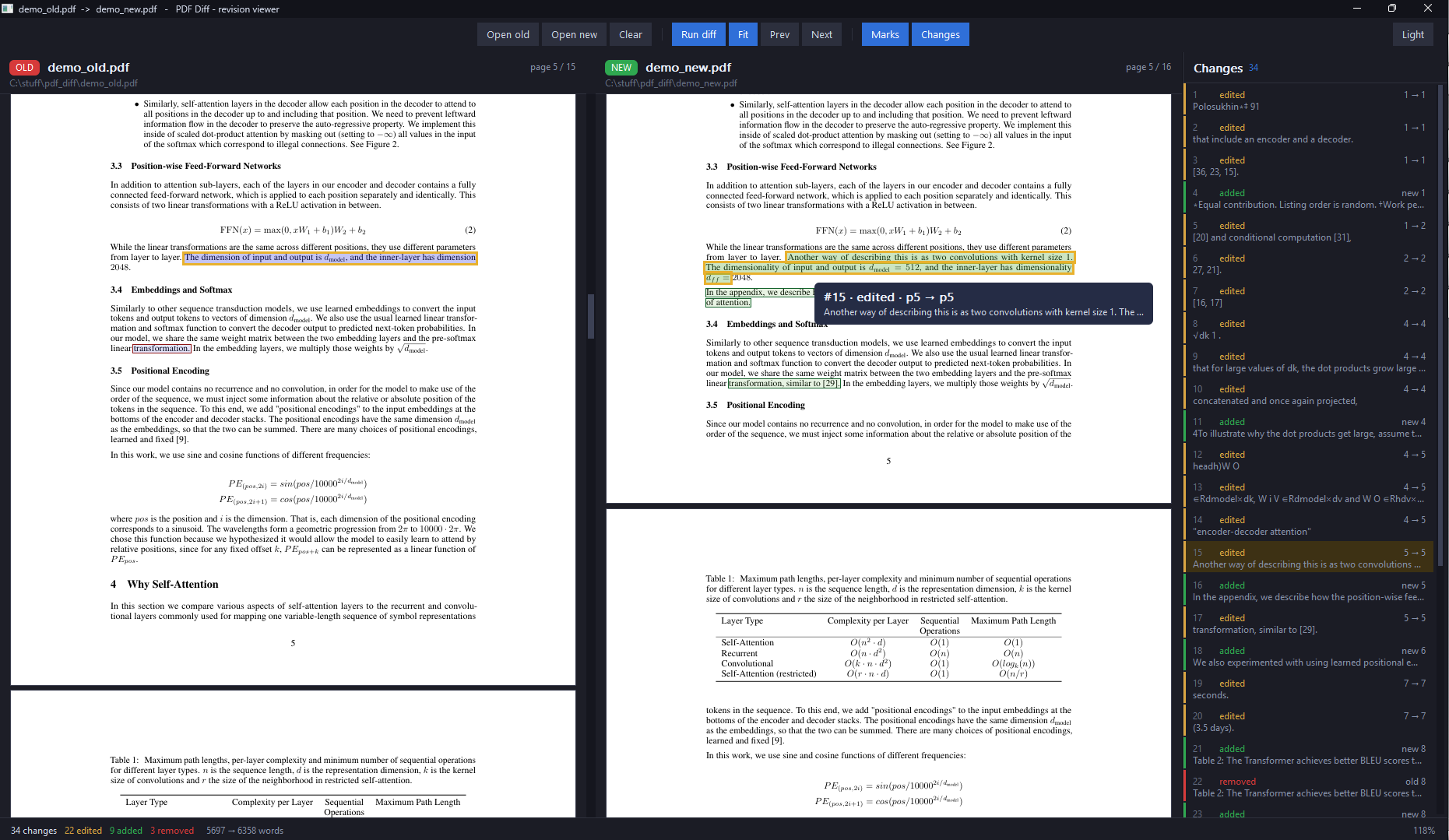
Compare two PDFs side by side and see every change: text that was added, edited, or removed is marked on the page.
Getting started
Unzip and open pdfdiff.exe and select old and new pdf.
Terminal
You can also use it from the terminal. The command below will save a marked copy of new.pdf with changes made.
./pdfdiff-backend.exe [old.pdf] [new.pdf] output.pdf
Features
Side by side
View the old and new PDFs next to each other at the exact same zoom and position.
Red & green marks
Removed text is highlighted in red, added or edited text in green.
Change list
Click any entry in the sidebar change list to jump both views straight to it.
Marked PDF export
Save a standalone copy of the new PDF with all changes highlighted.
Downloads
| File | Version | Released | Size |
|---|---|---|---|
| PdfDiff-0.1.zip (64-bit) | 0.1 | October 29, 2026 | 11.4 MiB |
verify download (sha-256)
SHA-256: 357FB0653C14B81C487F5F616CBC80D1D8BC85F47B48F6FA42654FF222EE9137
certutil -hashfile PdfDiff-0.1.zip SHA256